 NFC42
NFC42NFC42 Business
Turn NFC tags into a field-work system for your team
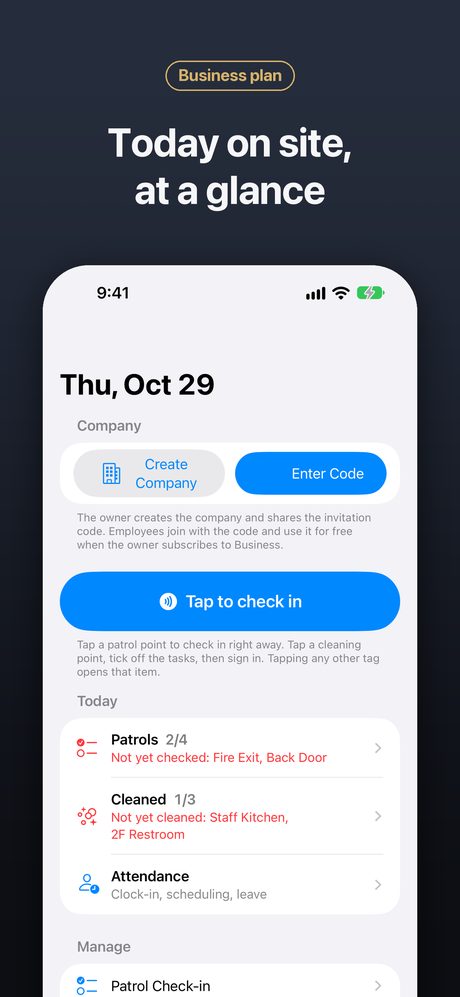
No new hardware, no IT project. Put NFC tags where the work happens, invite your staff with a code, and everyone works from the same live record on their own iPhone.
Coming soon to the App StoreNFC42 is in App Store review and will be available soon.
Requires an iPhone with NFC running iOS 26.1 or later.
Get started in three steps
Create your company
The owner creates the company in the app and subscribes for the team size.
Invite your staff
Share the invitation code. Staff join free on their own iPhones.
Tag and tap
Write tags for shelves, tools, patrol spots or rooms (batch writing numbers them for you), and start tapping.
Everything in the Business plan
Inventory
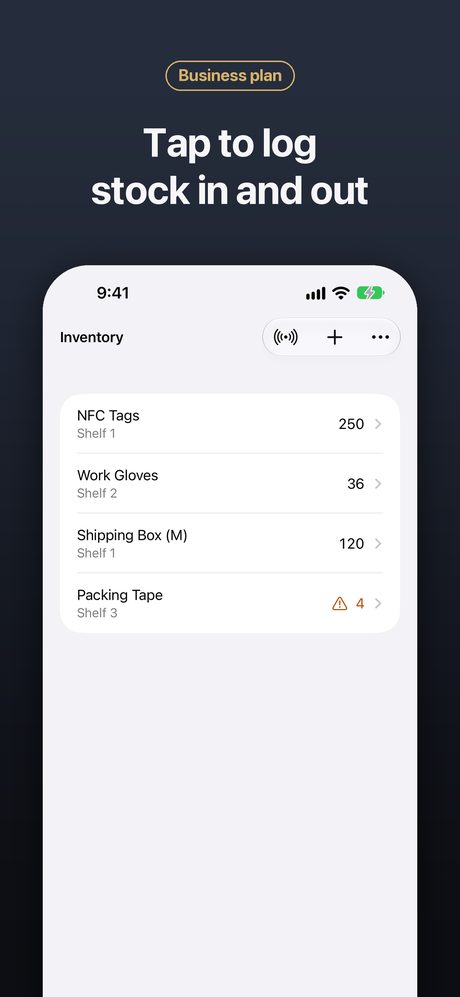
Stock in and out with a tap, low-stock alerts and a full history of every change.
Tool checkout
See who borrowed what and when it came back.
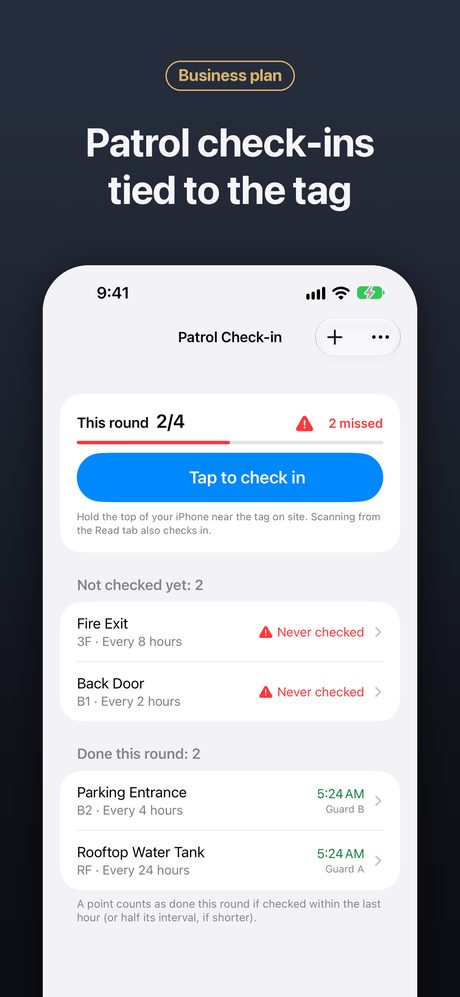
Patrol check-ins
Staff tap the tag at each spot. Spots that are overdue are flagged.
Anti-cheat check-ins
Check-ins are bound to the original tag and the server’s clock, so a copied tag or a changed phone clock doesn’t count.
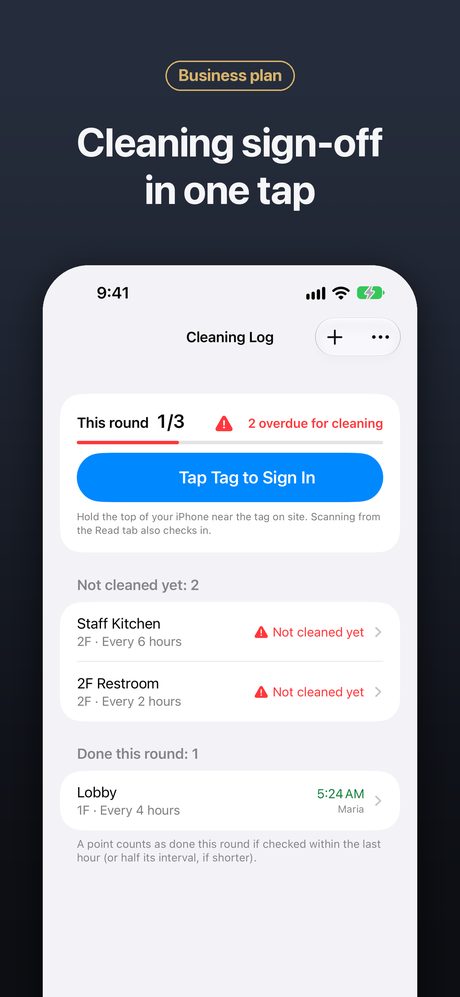
Cleaning sign-off
Cleaners sign off each area with a tap; missed areas stand out.
Maintenance reminders
Equipment maintenance is tracked and reminders go out when service is due.
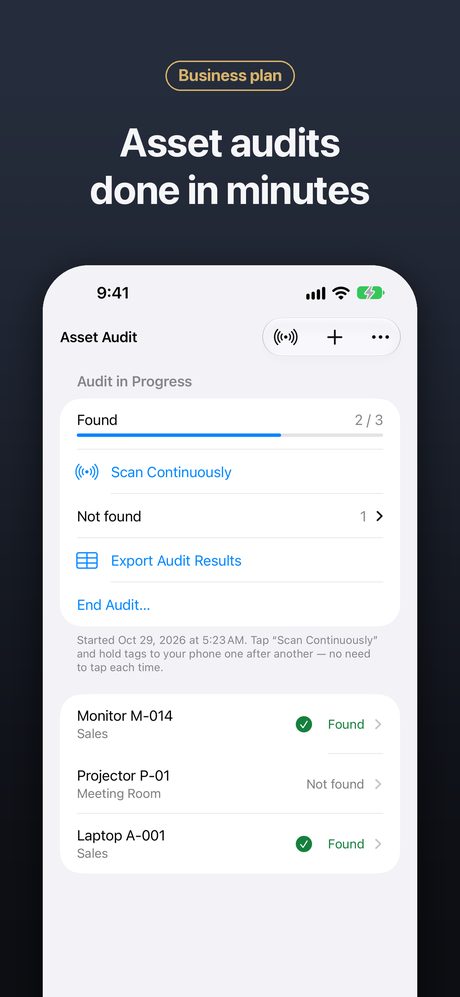
Asset audit
Tap through a room and export the list of what’s missing.
Staff attendance
Clock in with a staff badge, shift scheduling, leave and shift-swap requests.
Departments
Split the company into departments. Members only see their own department’s items and patrol spots, and each department manager runs their own department.
Push notifications
Server push notifications for low stock, missed patrols and due maintenance.
Reports
Export reports to CSV, and import items from a spreadsheet.
Batch writing
Write many tags in a row with automatic numbering.
Event invitations
Write the RSVP page onto invitations, tickets or table cards; after the event the same card shows a recap page.
Guest room pages
One card per room shows Wi-Fi, check-out time and front-desk contacts with a tap.
API & MCP add-on
Connect NFC42 company data to your own systems or AI assistants with an optional add-on subscription.
See it in action
Business plan pricing
One subscription for the whole team. The owner subscribes for the team size; staff join free with the invitation code.
| Team size | Monthly | Yearly | Per person / month |
|---|---|---|---|
| 1 person | US$2.99 | US$24.99 | US$2.99 |
| Up to 5 people | US$9.99 | US$83.99 | US$2.00 |
| Up to 10 people | US$17.99 | US$150.99 | US$1.80 |
| Up to 25 people | US$39.99 | US$339.00 | US$1.60 |
| Up to 50 people | US$69.99 | US$589.00 | US$1.40 |
| Up to 100 people | US$119.99 | US$999.99 | US$1.20 |
- API & MCP add-on (per company): US$9.99 (Monthly) · US$99.99 (Yearly)
- Remove ads (one-time purchase): US$1.99
Prices shown are US App Store prices. The App Store shows the price in your local currency. Subscriptions renew automatically unless cancelled at least 24 hours before the end of the period.
Frequently asked questions
Do my staff need to pay?
No. Only the owner subscribes. Staff join with the invitation code for free and get Business features while the owner’s subscription is active.
What happens if the subscription ends?
Nothing is deleted. The company becomes read-only until the owner renews.
Someone left the team or lost their phone. What do I do?
The owner can remove members from Team → Company. Removed members can’t rejoin with the code unless the owner allows it.
Can I import my existing item list?
Yes. Save your sheet as CSV, then open a list (Inventory, Tools, Patrol…) and choose Import CSV. You’ll see a preview first, and existing items are not changed.
Can managers see the results without the app?
Yes. The owner can create a view-only web link (Manager Dashboard) for managers who don’t use the app, and reset the link at any time.
Which tags should I buy?
Standard NTAG213, NTAG215 or NTAG216 stickers or cards work well. On metal surfaces, use anti-metal NFC tags.